Time tracking, client reports and invoices for freelancers.
The light one. It tracks the hour, proves it to your client, bills it correctly, and hands the rest to your accounting. EUR 9 a month, hosted in Germany.
Four steps, and then it stops
-
Track
Start the timer, or write the hours down afterwards, against a project, a client and a ticket.
-
Prove
Give your client a read-only link to their own hours, frozen once the period is over.
-
Bill
Turn the unbilled hours into an invoice that holds up, and send it as a PDF.
-
Hand over
Take the VAT figures and a DATEV archive to your tax advisor. This is where melancer ends.
Time that ends up on an invoice
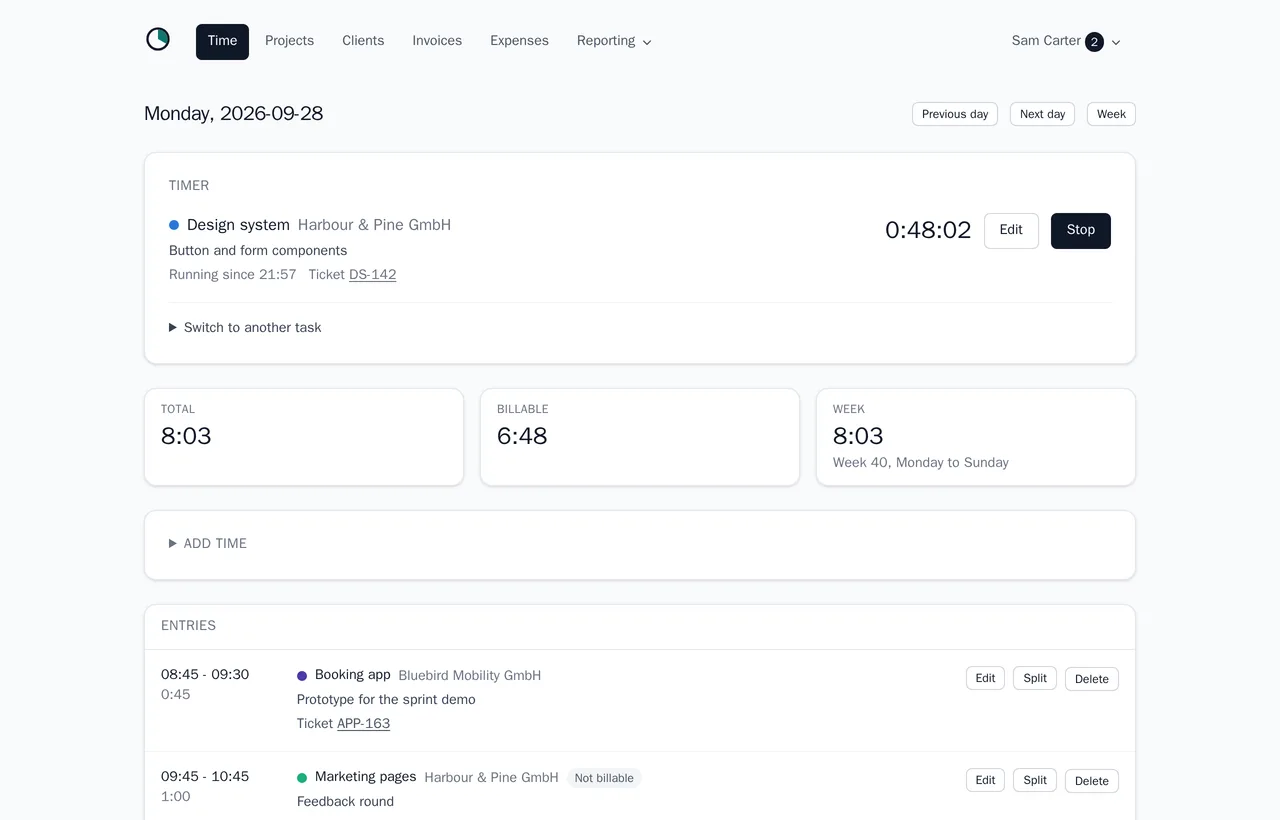
A timer that survives a reload, and a form for the afternoon you forgot to start it. Every hour belongs to a project, a client and, if you work that way, a ticket.
- One running timer, with the elapsed time on the page and nothing to install.
- Add, edit, split and merge past entries. Overlapping entries are refused.
- A ticket reference turns into a link to GitHub, GitLab, Jira or Linear.
- Day and week views, and an entry marked non-billable that still counts as worked.
- Log hours by telling your AI assistant, over MCP, or from a script over the API.
What the client sees
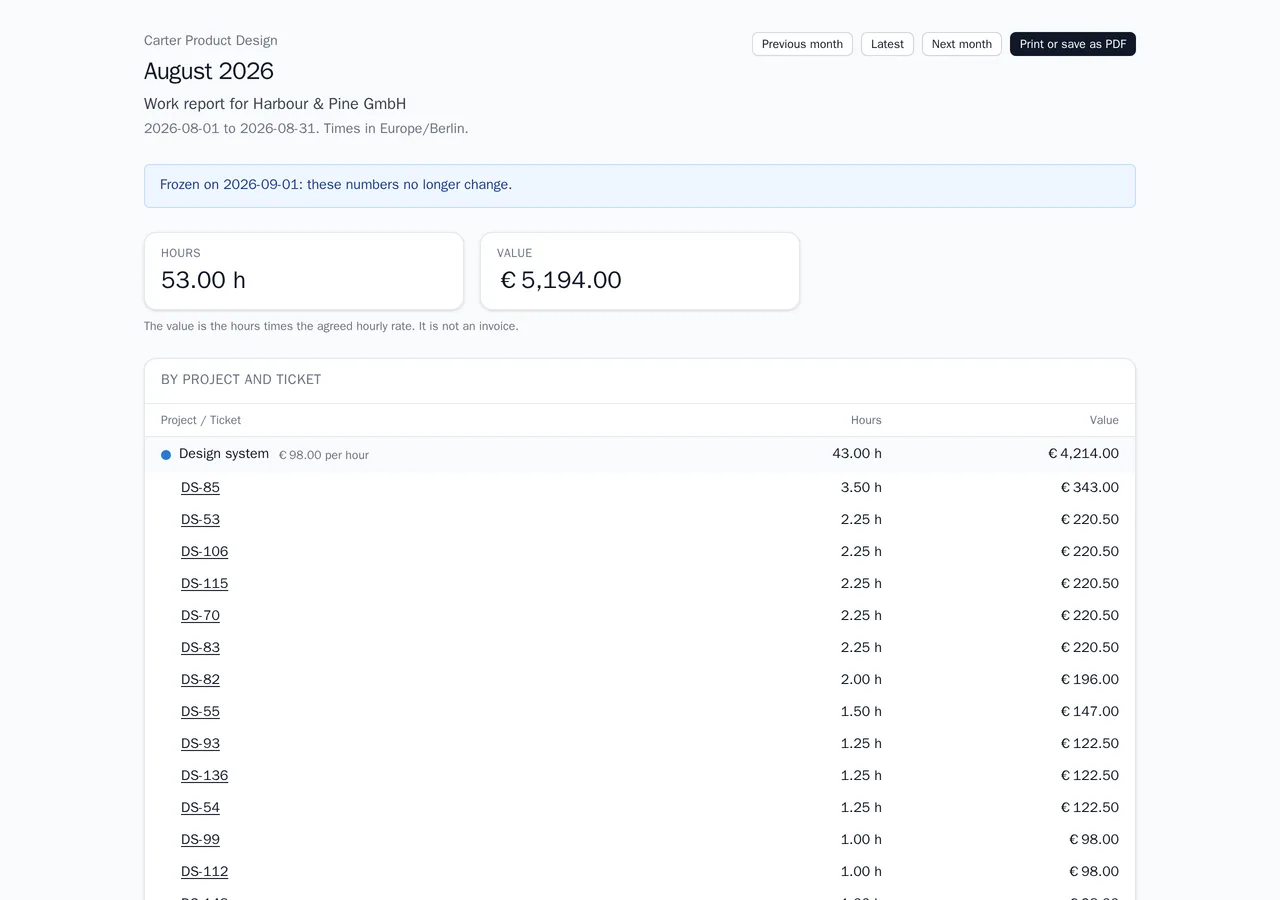
An invoice should never be the first time a client sees a number. A report link shows one client their own hours, for one period, and nothing else in your account.
- A link scoped to one client, weekly or monthly, that needs no login.
- Hours per day, project and ticket, with amounts and a budget if you want them shown.
- Frozen at the end of a period, so the number the client read cannot change afterwards.
- Revoke it or let it expire. It carries no tracking and stays out of search engines.
Invoices that survive an audit
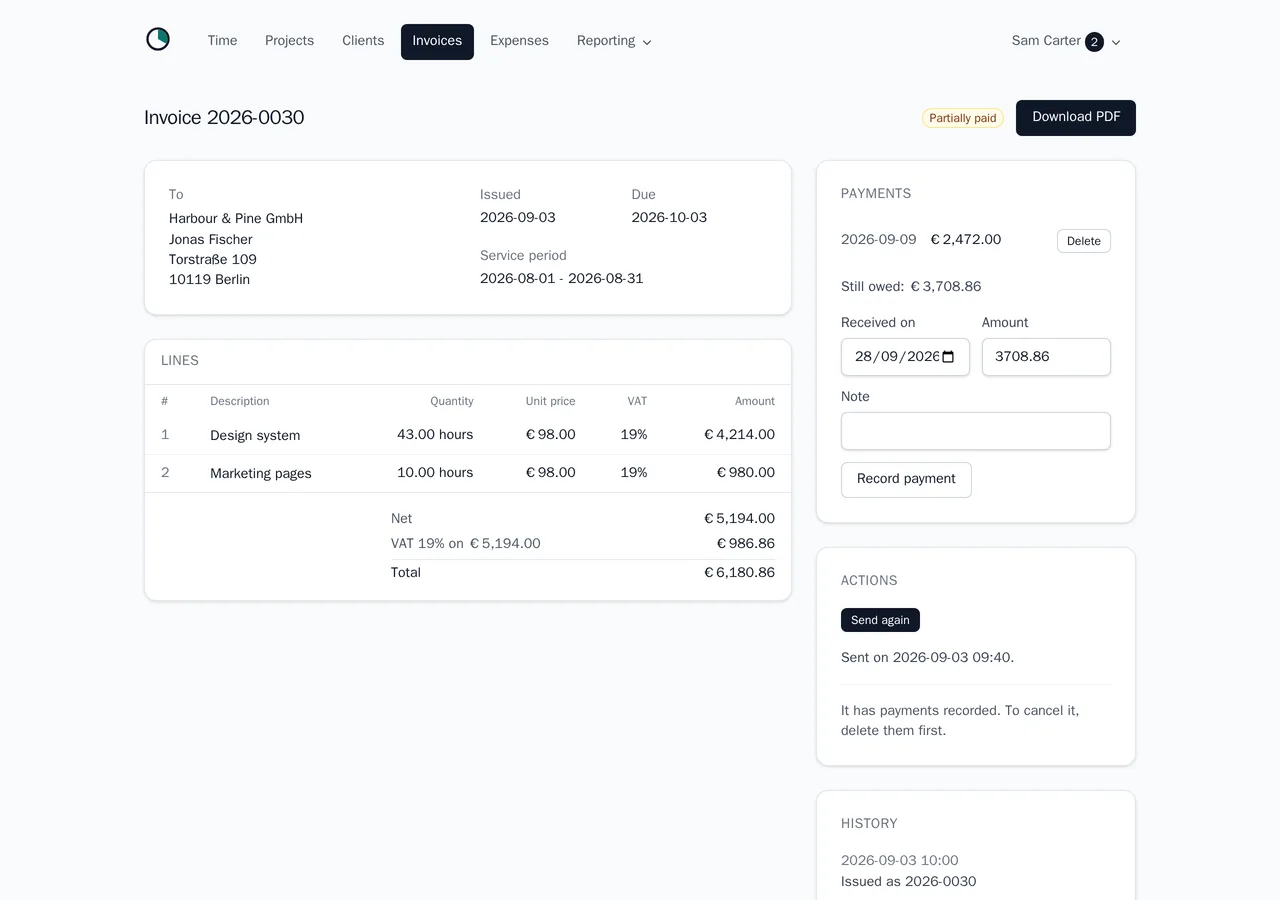
Amounts are whole cents, never floating point. Numbers are gap-free and never reused, and an issued invoice cannot be quietly edited.
- Draft from unbilled hours, grouped by project, ticket or day, plus your own flat lines.
- Every field § 14 UStG asks for, as a PDF stored with its checksum when you issue it.
- Sent by mail from your own name, with a reply-to that reaches you, not us.
- Payments and part payments recorded, with cancellation invoices for corrections.
The quarter, already done
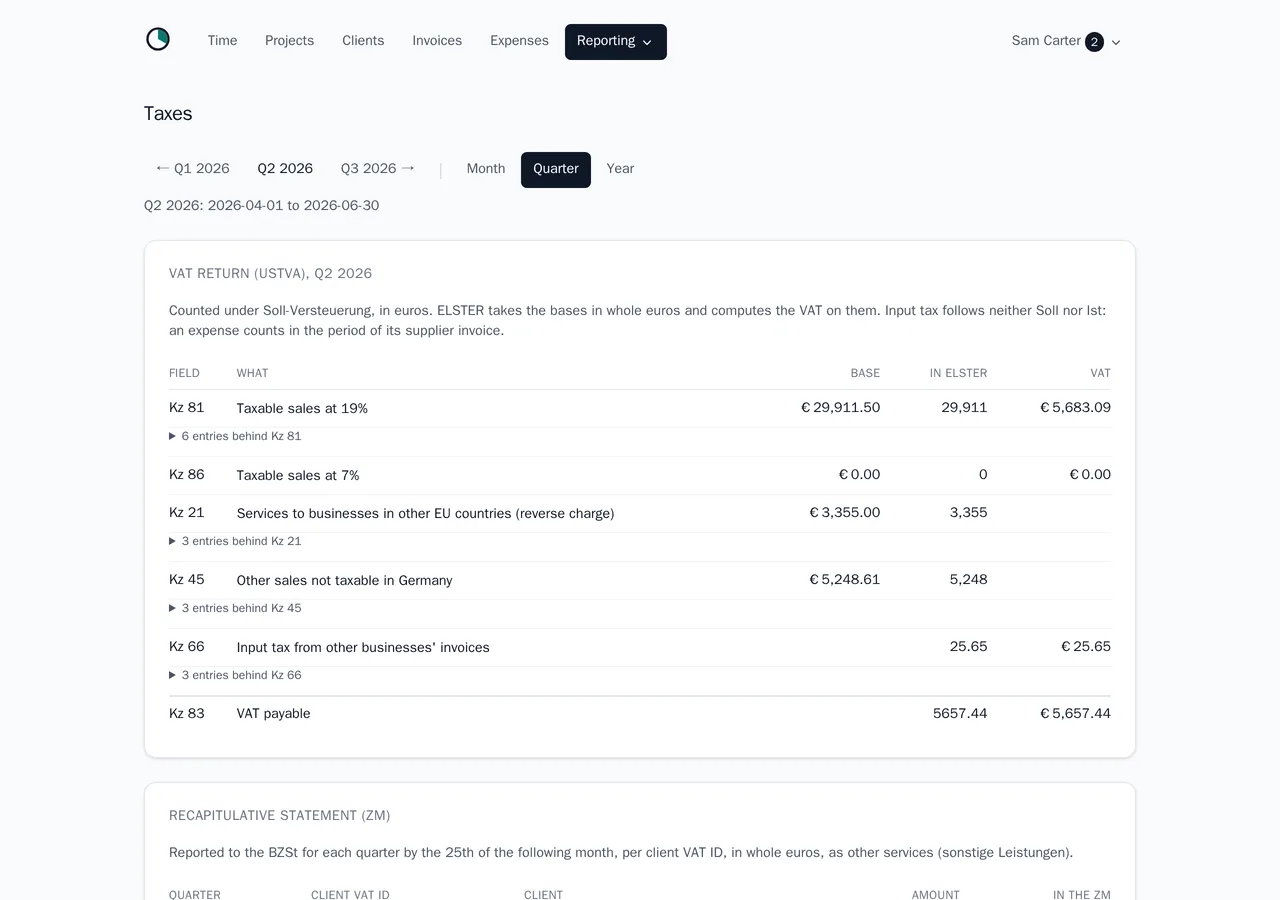
The part global time trackers leave out. Melancer prepares the figures German freelancers actually have to file, in the shape the forms ask for.
- The VAT return figures with their real Kennziffern, under Soll or Ist taxation.
- Kleinunternehmer under § 19, the two German rates, reverse charge for EU business clients, and the ZM.
- Expenses with their input tax, so Kz 66 and the balance come out of the same place.
- A DATEV archive per period, with the invoice PDFs and the receipts inside it.
Melancer is not a tax advisor, prepares figures rather than returns, and files nothing with the Finanzamt.
Which client actually pays
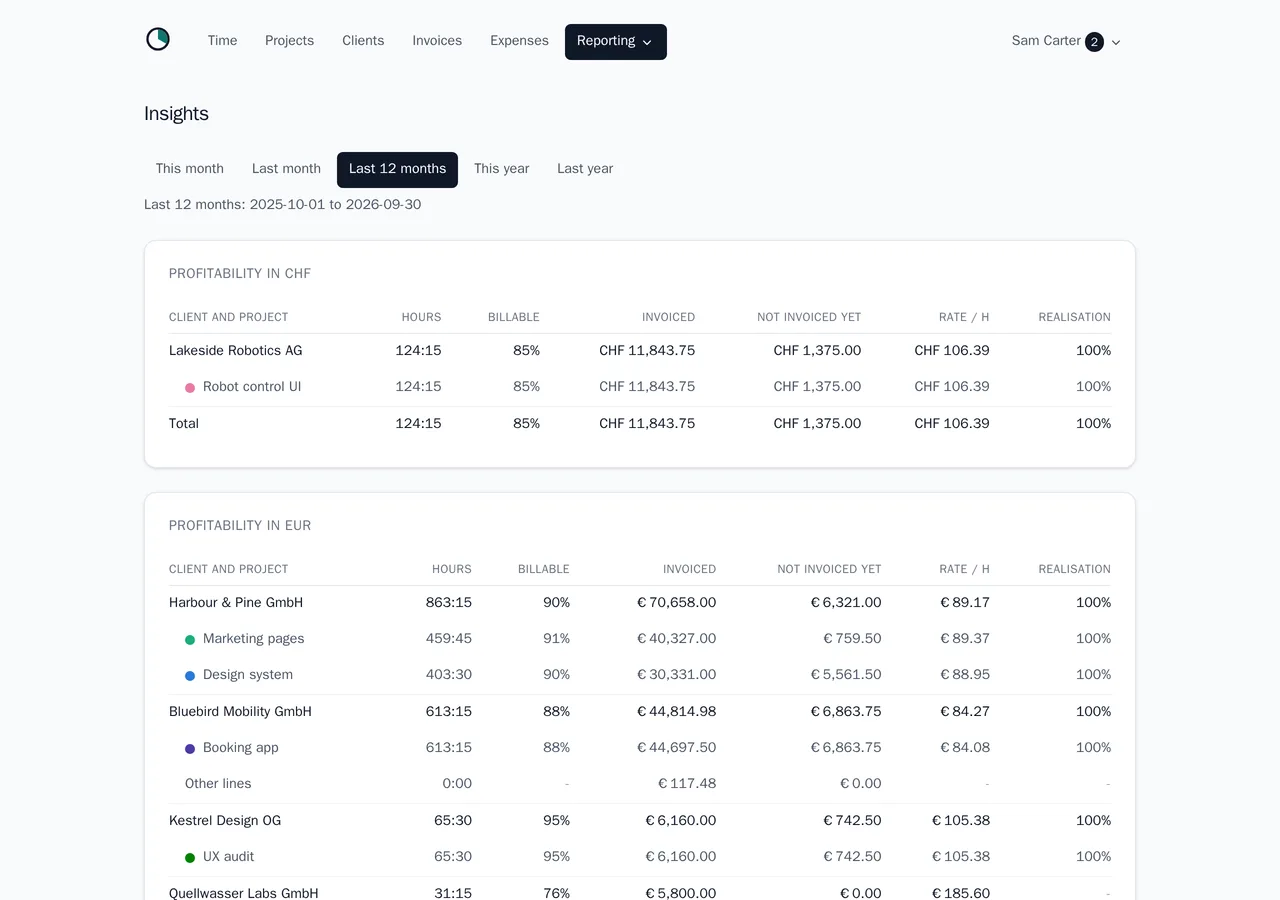
The hourly rate you agreed and the one you really earn are rarely the same number. Melancer shows the difference per client and per project.
- Effective hourly rate, billable share, and what is tracked but not yet invoiced.
- Budgets in hours or money, with a warning long before a project runs over.
- Income and hours over time, and a forecast against a monthly goal you set.
- One page per client and per project that tells the whole story.
What melancer does not do
Melancer does not do your bookkeeping, your EÜR or your bank reconciliation. It does not file anything with the Finanzamt. It is not a CRM and not a project management tool, it takes no payments, and it is not your tax advisor. It tracks the hour, proves it to your client, bills it correctly, and hands the rest over.
- Bookkeeping and the EÜR
- Bank feeds and reconciliation
- Filing through ELSTER
- A CRM, leads or a pipeline
- Tasks, kanban and Gantt
- Taking your clients' payments
- Payroll and dunning
- Tax advice
Works with what you already have
Every place melancer meets another tool is a place it does not have to grow a feature. That is the plan, not an afterthought - which is also why this list is honest about what is not built yet.
- DATEV export for your tax advisor Available One archive per period, with the invoice PDFs and the receipts.
- Import from Toggl, Harvest and Clockify Available The way in, if you are moving off a timer that stops at the timer: your history comes along, with a preview first.
- Push invoices to Lexware Office On the way Today its users upload the export's PDFs by hand.
- Calendar import On the way Turn a meeting you already booked into a tracked hour.
- A REST API and an MCP server Available Log your hours by telling your AI assistant, and let a script do what melancer never will.
- Webhooks On the way So the integrations melancer never builds can hear about new hours and invoices as they happen.
Your data, and nobody else's
Nothing on this page came from another server, and nothing in the app does either.
- Hosted in Germany
- On German servers, run by the operator named in the imprint.
- No tracking
- No analytics, no pixel, no third-party script anywhere on the site.
- No cookie banner
- There is nothing to consent to. The only cookies keep you signed in.
- Everything exports
- Your whole account as JSON with your files, in one download.
- Delete in one click
- The account and its data go immediately, not after an email exchange.
- Closed source, still portable
- Melancer is not open source. Your data leaves it anyway, in formats you can read.
Free while melancer is in beta, then EUR 9 a month.
One price, everything included. No seats, no tiers, no charge per invoice. It costs a fraction of an accounting suite because it does a fraction of the job, on purpose.
Questions
Do I still need my accounting software?
Usually yes, and that is the point. Melancer does the hour, the client report and the invoice, and hands the figures over. Your bookkeeping, your EÜR and your filing stay where they are today, with your tool or your tax advisor.
How is this different from Toggl or Clockify?
They are good at the timer and stop there. Melancer carries the same hour through to a client-facing report, a § 14 UStG invoice and the German VAT figures, which a global time tracker has no reason to build. If you switch, your history comes with you: melancer imports their CSV exports.
Can I use it as a Kleinunternehmer under § 19 UStG?
Yes. Switch the tax mode once and every invoice is issued without VAT and carries the § 19 note. Melancer also watches the turnover limits and says something before you cross one.
Does it handle reverse charge for clients in the EU?
Yes. A business client in another EU country is invoiced net with the reverse-charge note and both VAT ids, and the amounts land in the recapitulative statement for the quarter.
What exactly does my client see?
One period of their own hours, and nothing else in your account. You decide whether amounts, entry descriptions and the budget are shown. The link needs no login, stays out of search engines, and can be revoked at any time.
How does my tax advisor get the data?
As a DATEV archive per period: the bookings, the customer accounts, the invoice PDFs and the expense receipts in one ZIP. Melancer prepares it; whether it is booked that way is your advisor's call.
Does melancer work without JavaScript?
Yes. Every page is rendered on the server and every action is a form or a link. The little script that ticks the running timer is a convenience, not a requirement, and it prints properly too.
Can I get my data out again?
At any time, without asking us. One download gives you every record as JSON plus your logo, receipts and invoice PDFs. Deleting the account removes everything immediately.
Ready when you are
No card, no sales call. Export or delete everything whenever you like.